

1. Let auto-categorization do the bulk
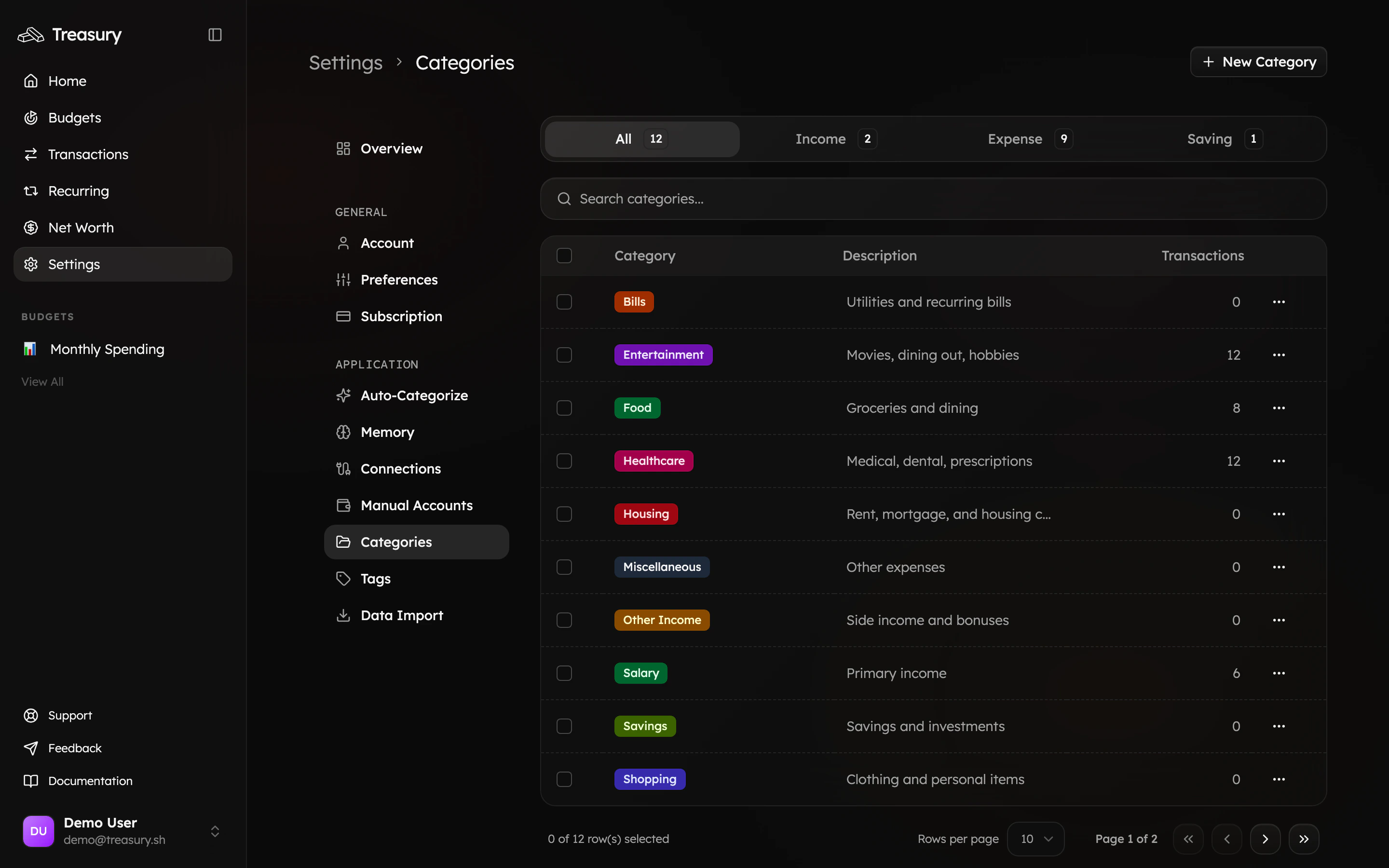
Most transactions are categorized for you as they sync. Set up your categories first so Treasury has the right buckets to sort into — use the Default preset during onboarding for a well-rounded starting set you can tweak.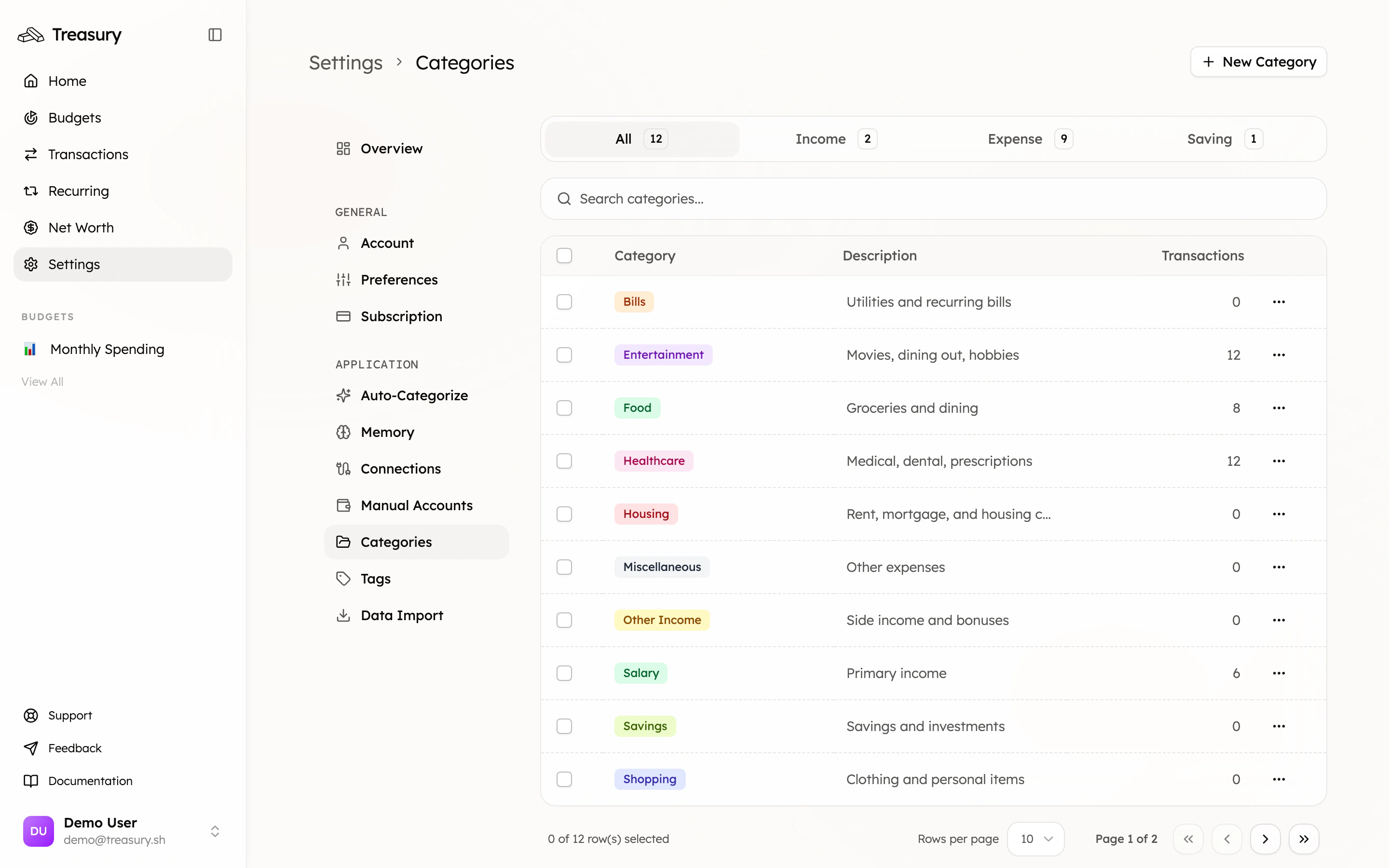
2. Clear the rest with Turbo Review
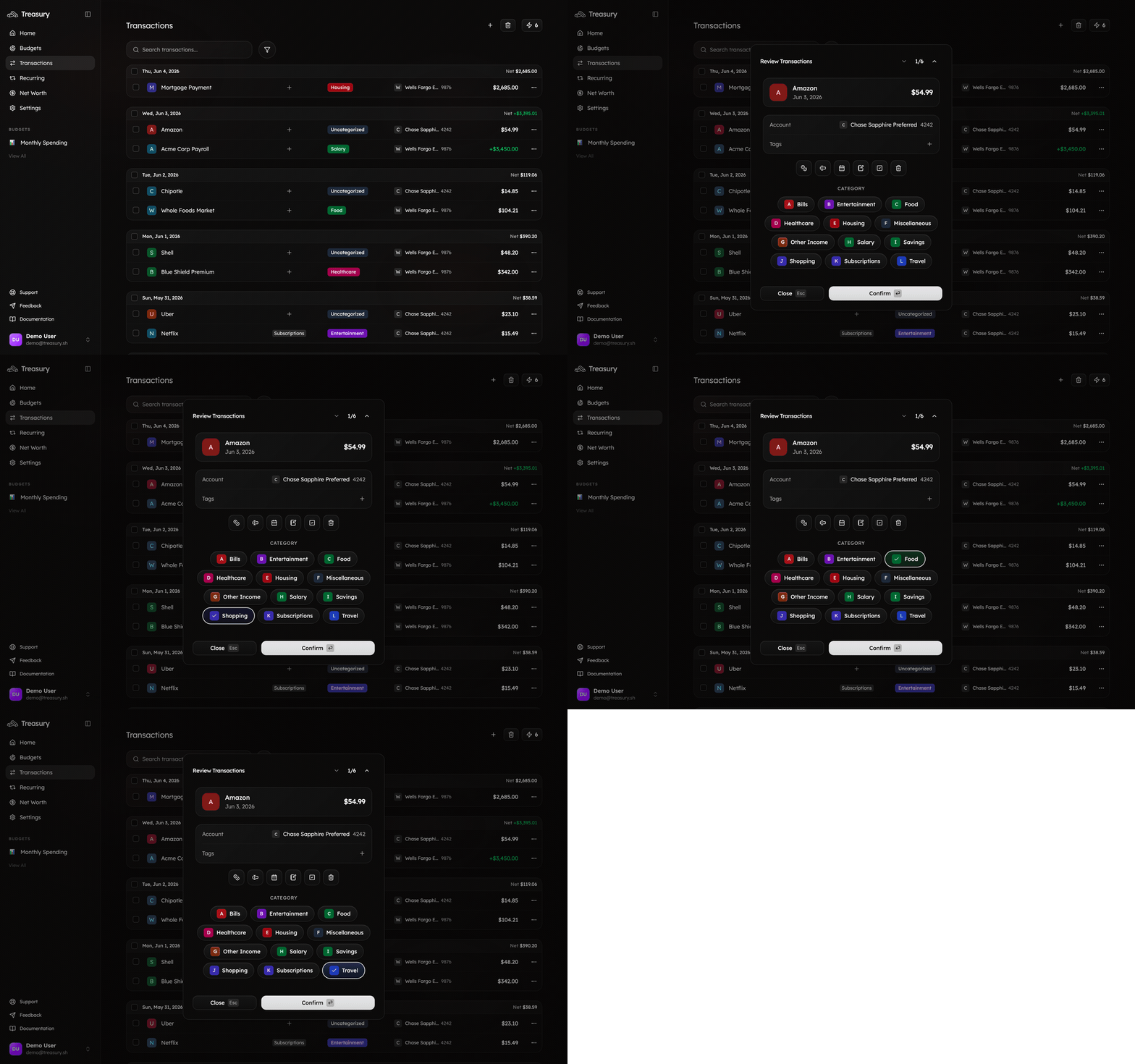
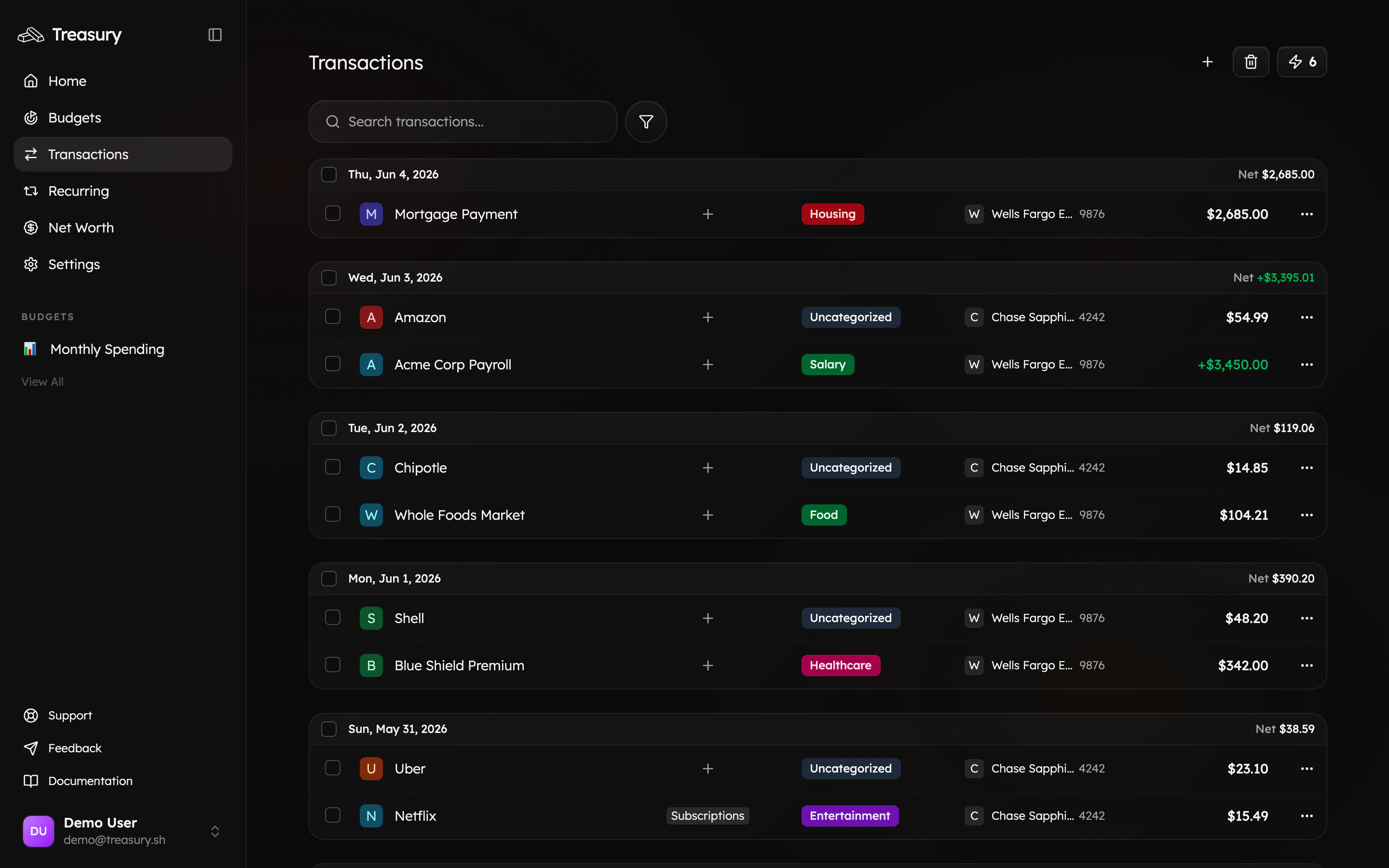
Whatever auto-categorization wasn’t sure about lands in Turbo Review — opened from the ⚡ icon on the Transactions page. It shows one transaction at a time with every category a tap away, and jumps to the next the instant you pick. A backlog disappears in a minute.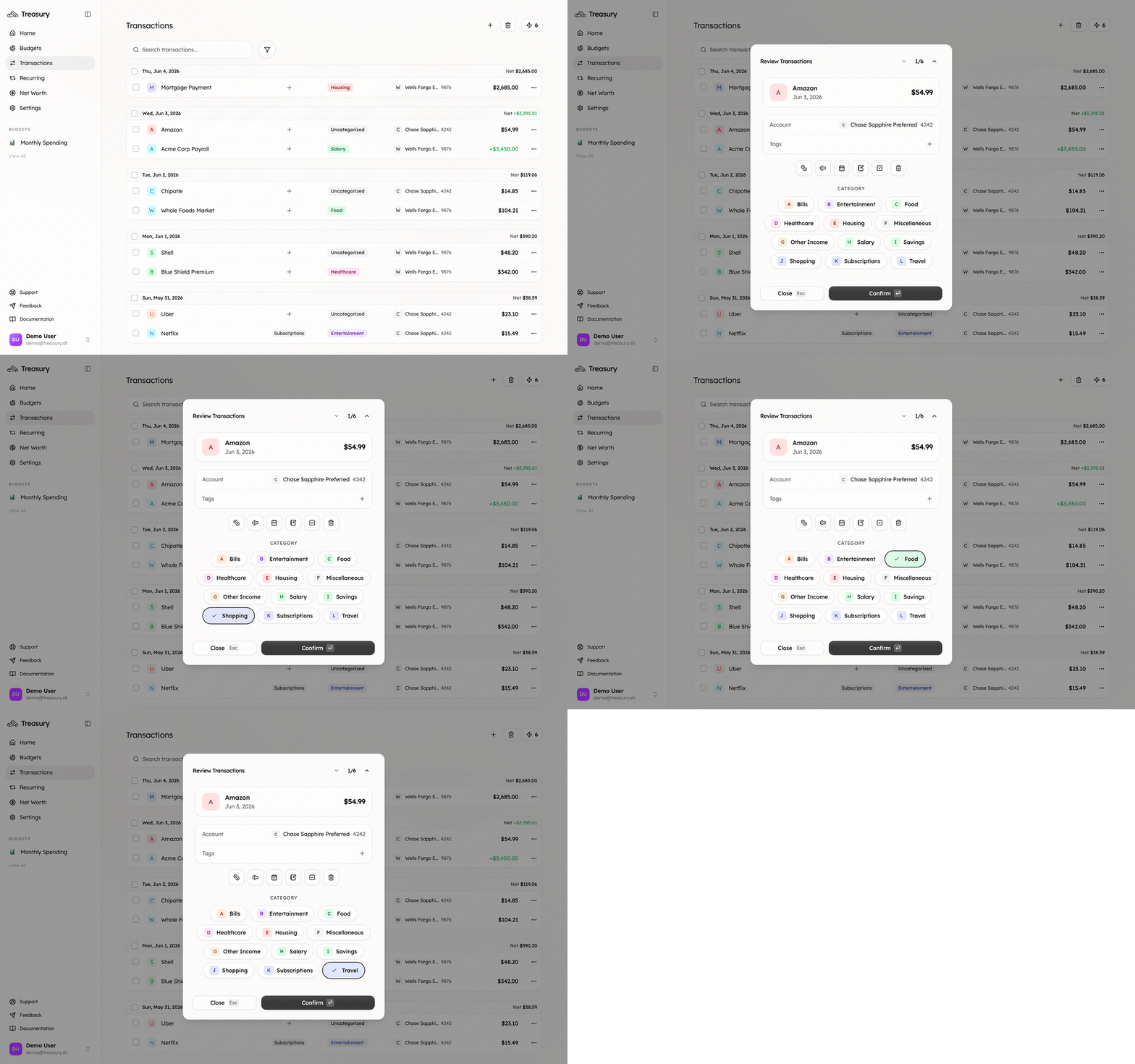
3. Fix one-offs inline
For the occasional stray on the main list, just click its category label and pick the right one — no need to open anything. While you’re there you can rename a cryptic merchant so it’s clear next time.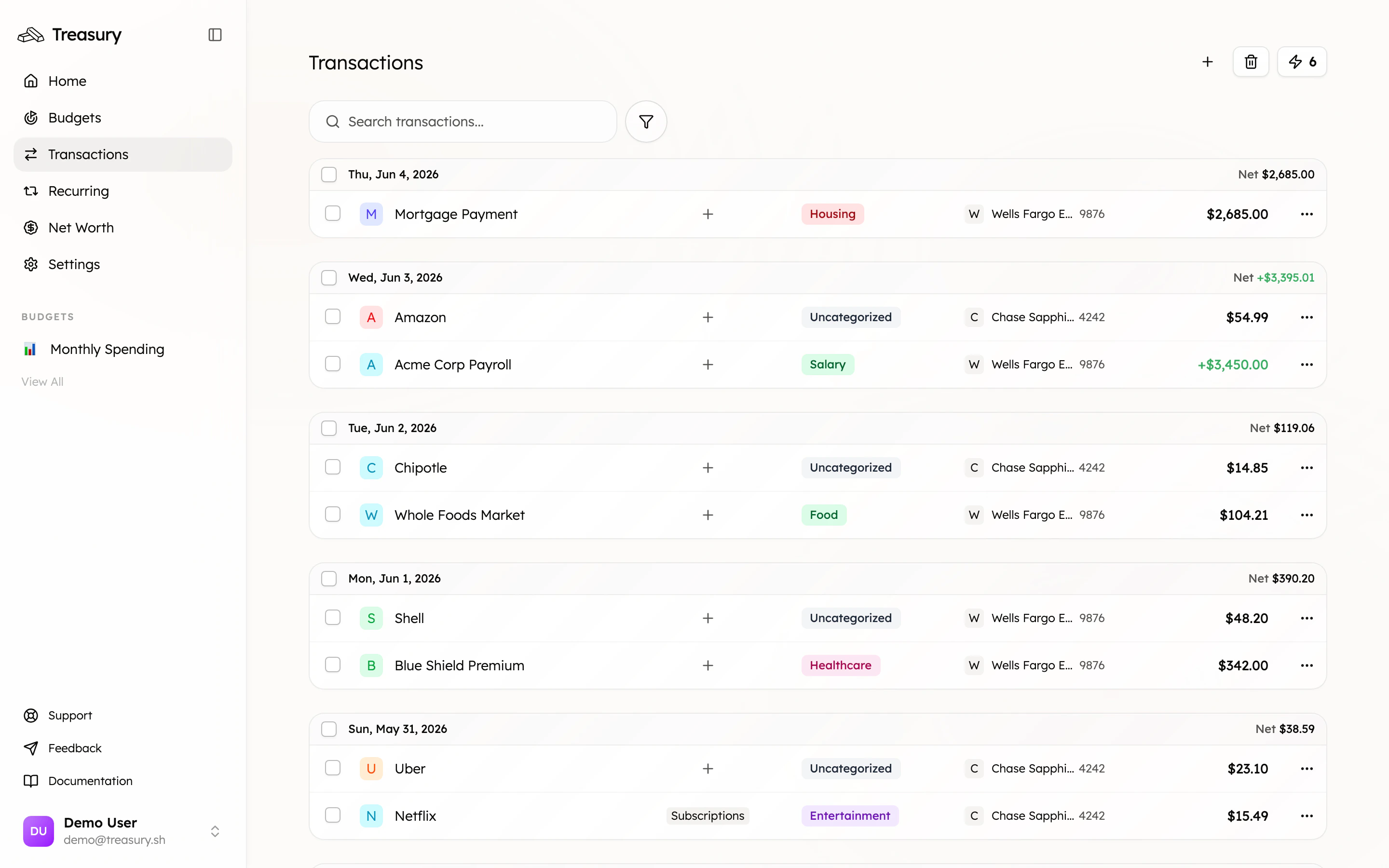
4. Keep it clean
- Exclude the noise. Reimbursements, internal transfers, and one-off anomalies can distort your budgets — exclude them so totals reflect real spending.
- Use tags for context. Tags cut across categories for trips and projects, without changing how something is categorized.
- Make it a habit. A 30-second Turbo Review once a week keeps you at zero.
What good looks like
No “Uncategorized” pills on your transactions, budgets that add up, and an AI that can answer “how much did I spend on X?” accurately — because every transaction is in the right bucket.Take it further
Turbo Review
The fastest way to categorize.
Budgets
Clean categories make accurate budgets.
Find & cancel subscriptions
Put clean data to work.
Ask Treasury AI
Accurate answers need accurate categories.