

You’ll get the most out of this guide once you’ve connected an account (or imported your history) so Treasury has your real recurring charges to work with.
1. See every subscription in one place
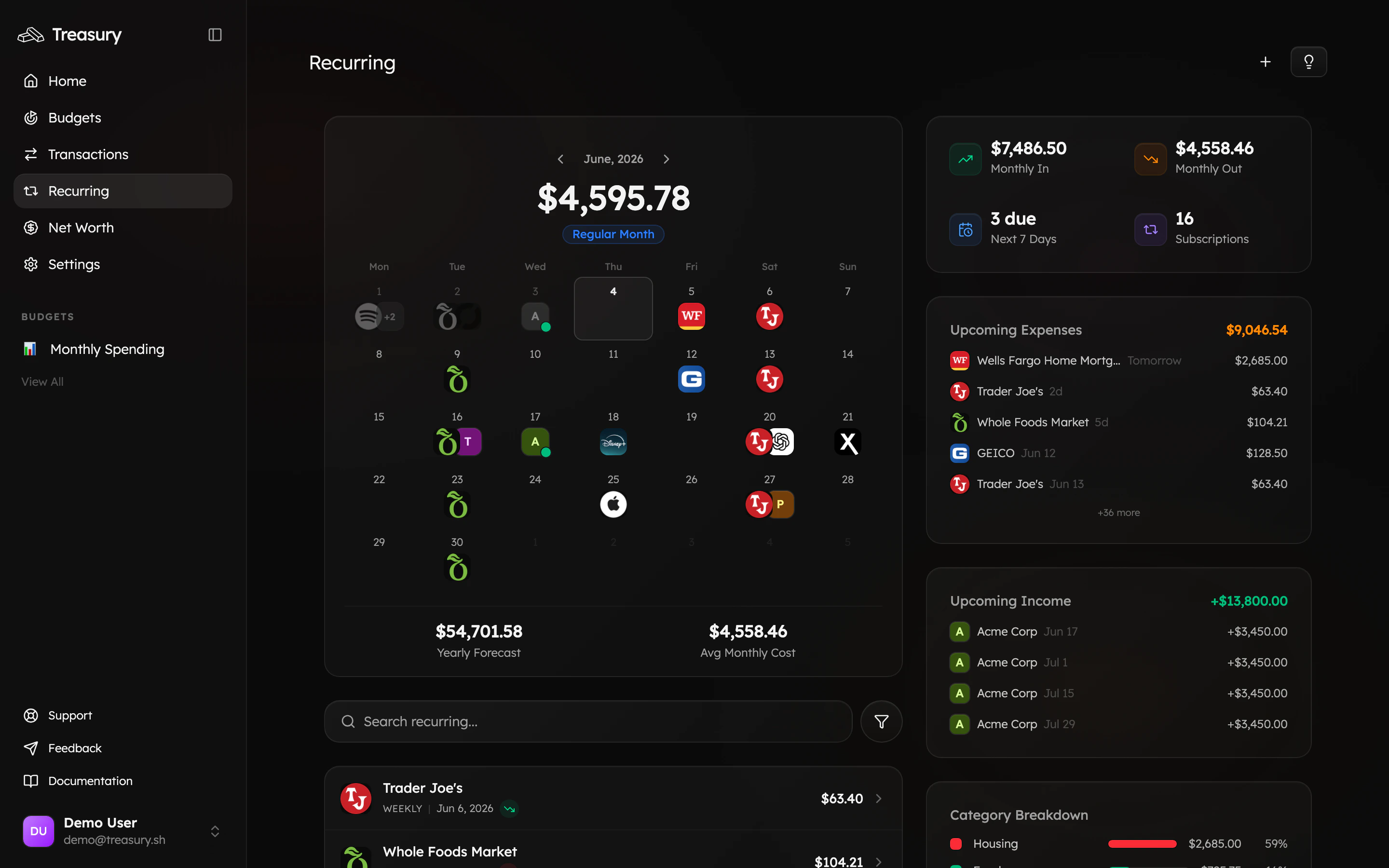
Open Recurring from the navigation bar. Treasury automatically detects repeating charges across your accounts and lays them out on a calendar, with your Monthly Out, what’s due next, and a count of active subscriptions.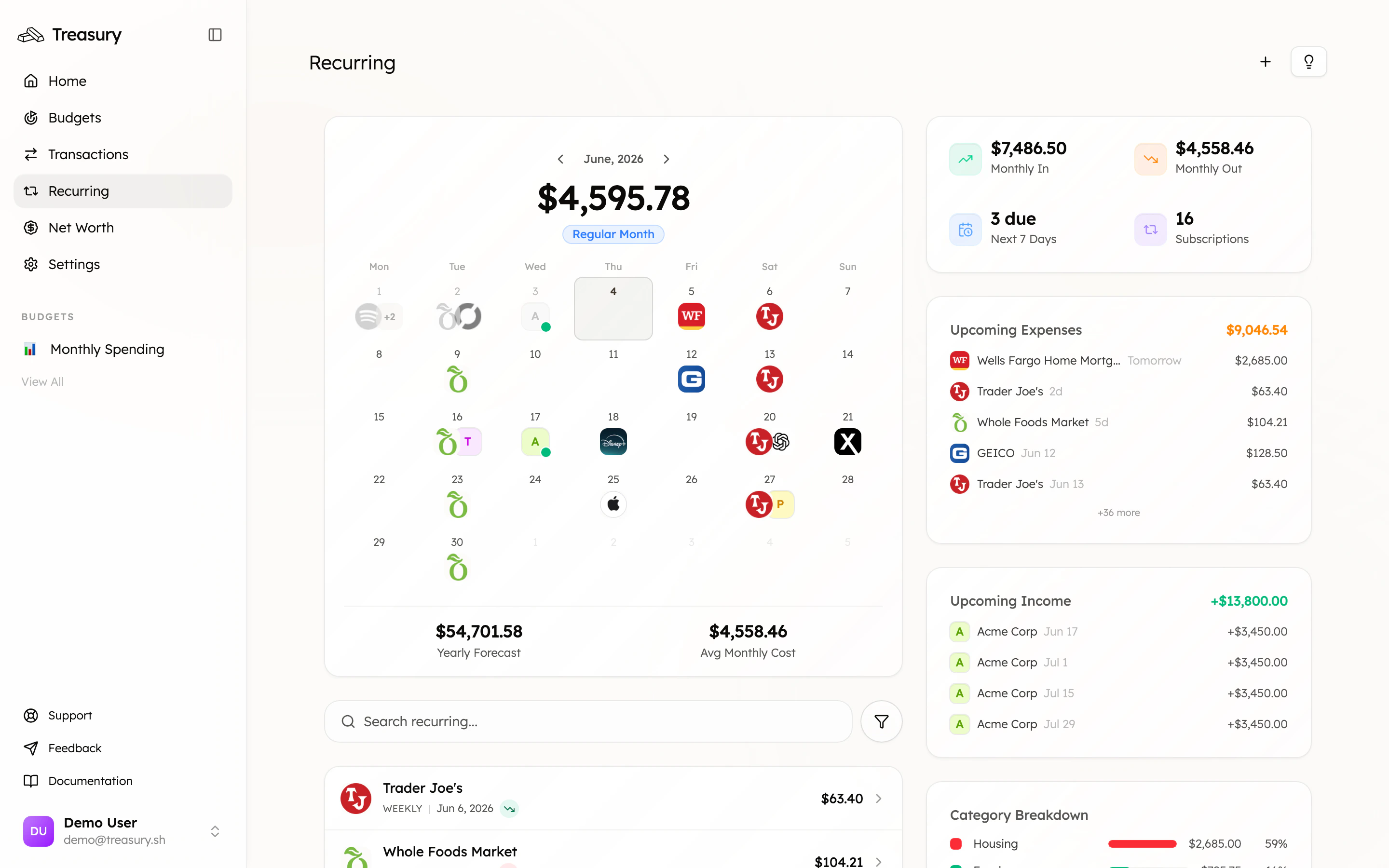
2. Let Treasury AI audit them
You don’t have to eyeball the list. Open Treasury AI and tap Subscription audit (or just ask, “Show me all my active subscriptions, what they cost me monthly, and flag any I should consider cancelling”). Treasury reads your real data and answers with an interactive card — every subscription, its cost, and a running monthly total.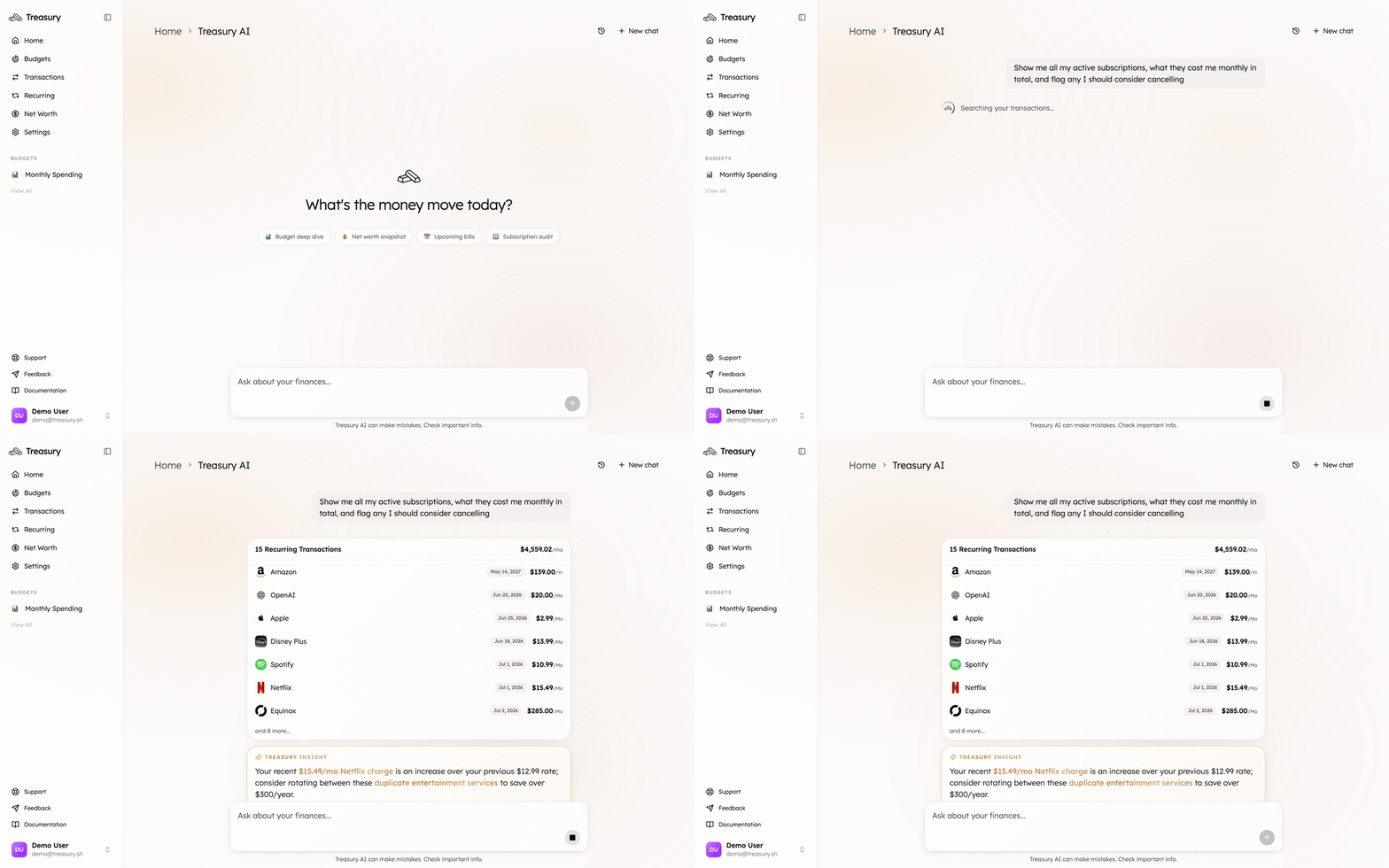

3. Decide what to cut
Go through the shortlist and ask yourself, for each one:- Do I actually use it? If you can’t remember the last time, that’s your answer.
- Is it a duplicate? Two music or streaming services, overlapping cloud storage.
- Did a trial convert? Something that jumped from free to paid.
- Could a cheaper tier do? Downgrade instead of cancelling.
4. Cancel, then keep Treasury honest
Cancel the ones you’ve decided on with the provider (Treasury never moves money or cancels on your behalf — you stay in control). Then tidy up how they’re tracked:- Pausing for a while? (e.g. a gym membership over winter.) Block or pause the recurring item so it stays on your radar without skewing your forecast.
- A one-off mistaken for a subscription? Block it so Treasury stops predicting it.
- Want it out of your budgets entirely? Exclude the transaction.
What good looks like
A recurring list you recognize end to end, a Monthly Out that’s lower than when you started, and no surprise charges. Check back here every month or two — subscriptions creep back, and a two-minute audit keeps them in check.Take it further
Never miss a bill
Use the recurring calendar to stay ahead of what’s due.
Budget your subscriptions
Set a cap for subscriptions so they can’t creep again.
Ask Treasury AI
Your money questions, answered from your real data.
Recurring Transactions
Manage, pause, and block recurring charges.