> ## Documentation Index
> Fetch the complete documentation index at: https://docs.treasury.sh/llms.txt
> Use this file to discover all available pages before exploring further.
# Find & cancel wasted subscriptions
> See every recurring charge in one place, let Treasury AI flag what to cut, and stop paying for things you forgot about.
Subscriptions are designed to be forgotten. A trial you never cancelled, two streaming services you don't watch, an app you used once — they quietly add up to hundreds of dollars a year. This guide shows you how to surface every recurring charge, decide what's worth keeping, and cut the rest.
**What you'll achieve:** a clear list of everything that bills you on repeat, an AI-flagged shortlist of cancel candidates, and a lower monthly outflow.
You'll get the most out of this guide once you've [connected an account](/core/connections) (or [imported your history](/core/data-import)) so Treasury has your real recurring charges to work with.
## 1. See every subscription in one place
Open [**Recurring**](https://app.treasury.sh/recurring) from the navigation bar. Treasury automatically detects repeating charges across your accounts and lays them out on a calendar, with your **Monthly Out**, what's **due next**, and a count of active **subscriptions**.
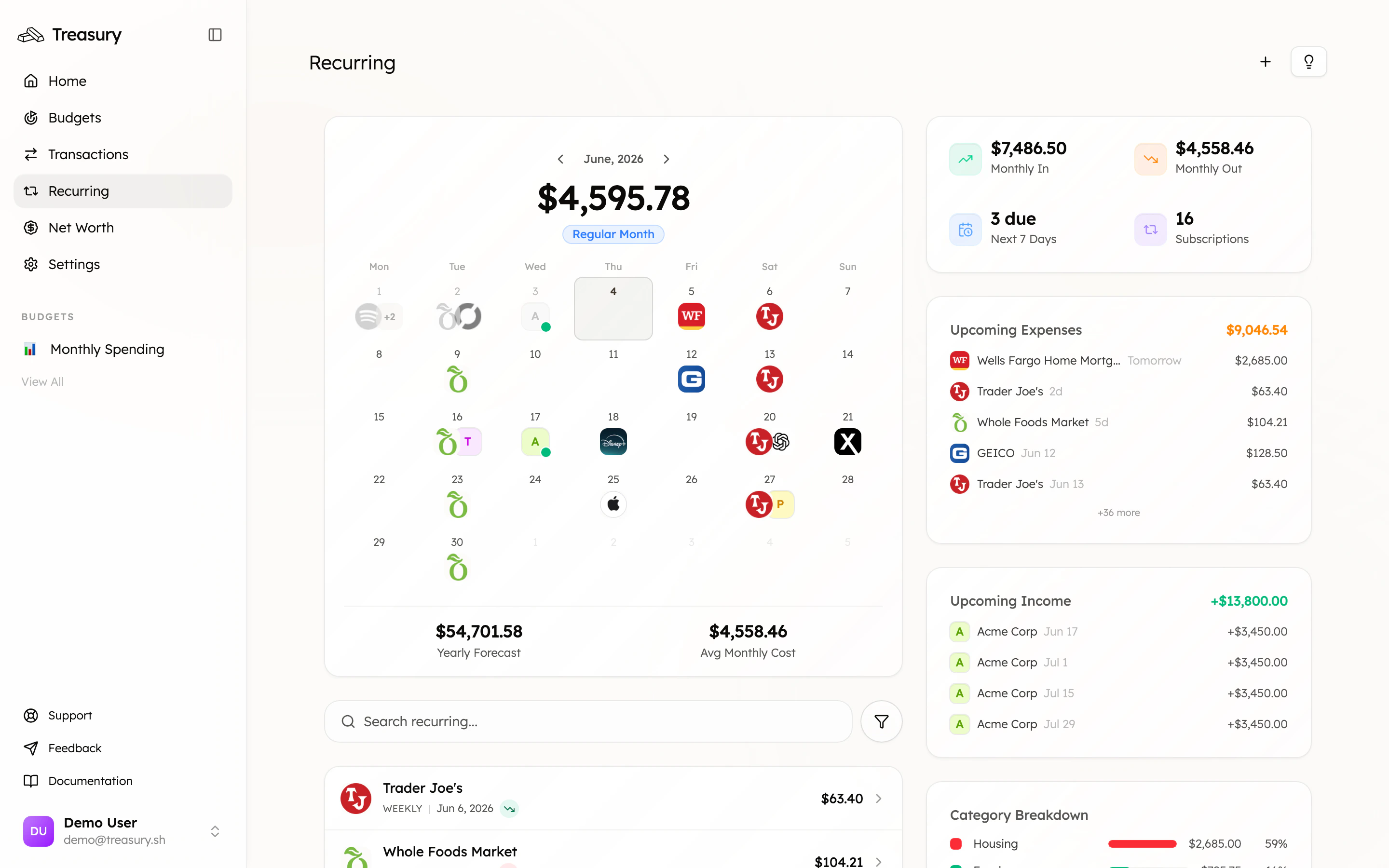
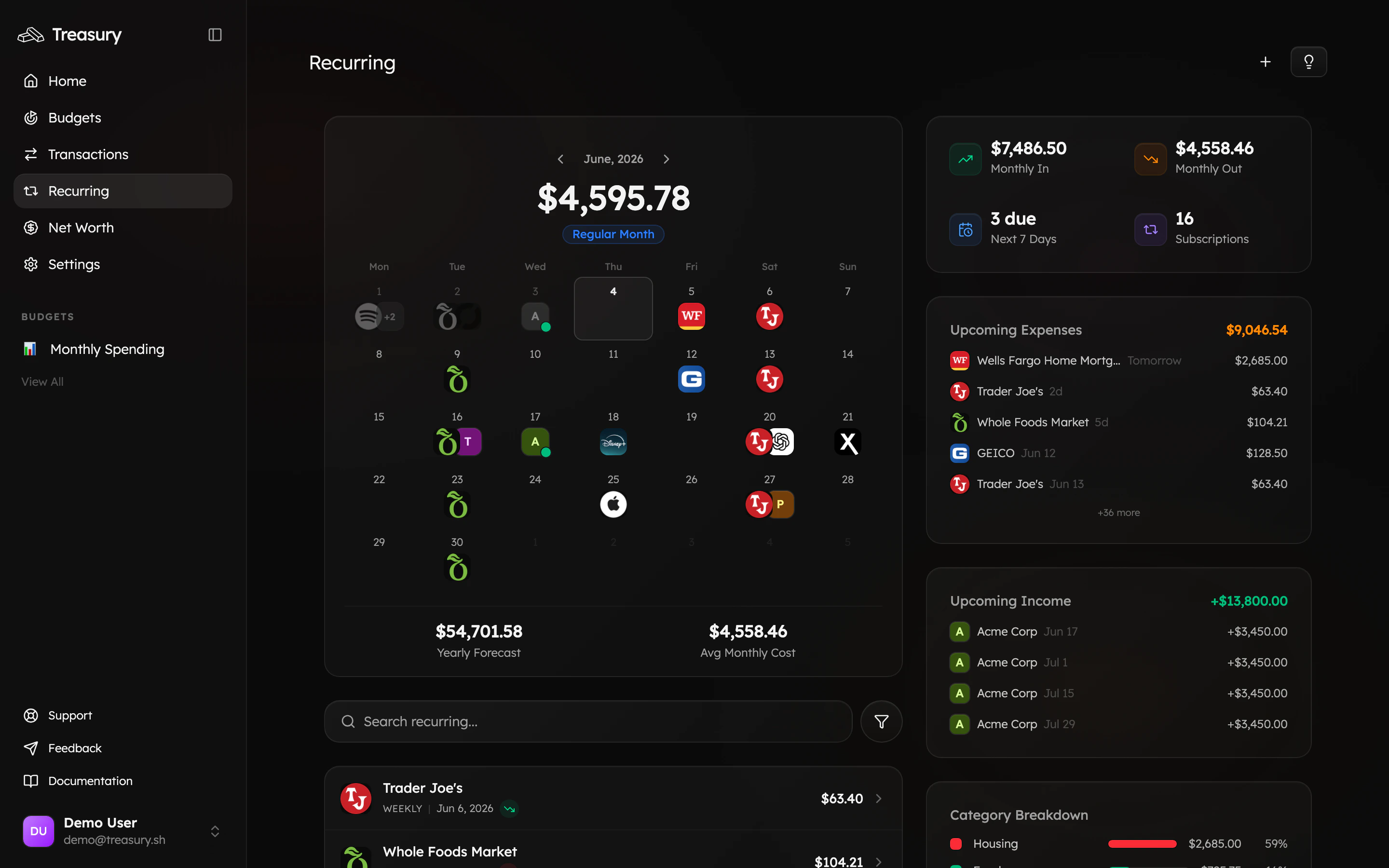 This is the whole picture in one view — every Netflix, gym, cloud-storage, and insurance charge you're signed up for, and what they cost you each month.
## 2. Let Treasury AI audit them
You don't have to eyeball the list. Open [**Treasury AI**](https://app.treasury.sh/ai) and tap **Subscription audit** (or just ask, *"Show me all my active subscriptions, what they cost me monthly, and flag any I should consider cancelling"*). Treasury reads your real data and answers with an interactive card — every subscription, its cost, and a running monthly total.
This is the whole picture in one view — every Netflix, gym, cloud-storage, and insurance charge you're signed up for, and what they cost you each month.
## 2. Let Treasury AI audit them
You don't have to eyeball the list. Open [**Treasury AI**](https://app.treasury.sh/ai) and tap **Subscription audit** (or just ask, *"Show me all my active subscriptions, what they cost me monthly, and flag any I should consider cancelling"*). Treasury reads your real data and answers with an interactive card — every subscription, its cost, and a running monthly total.
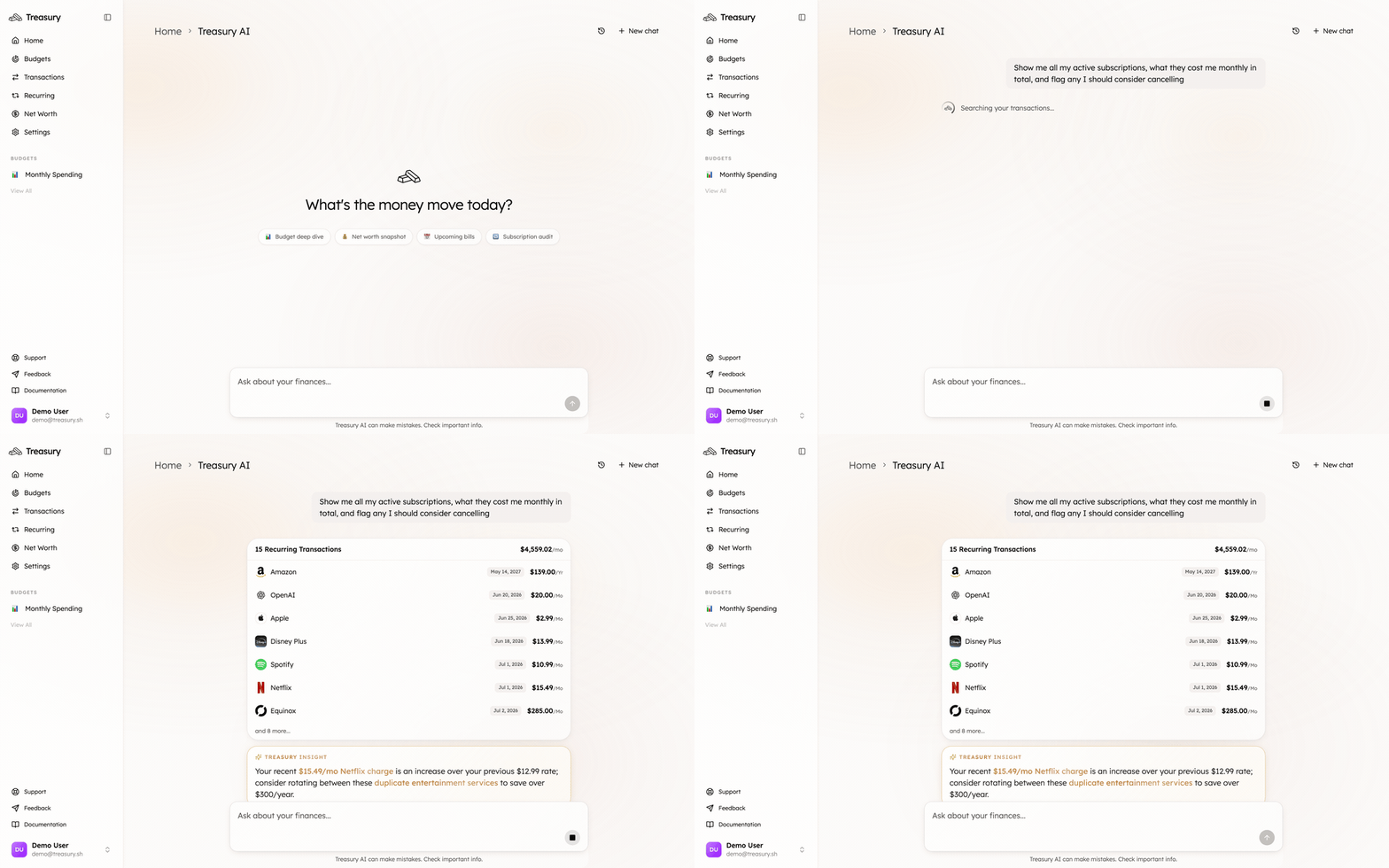
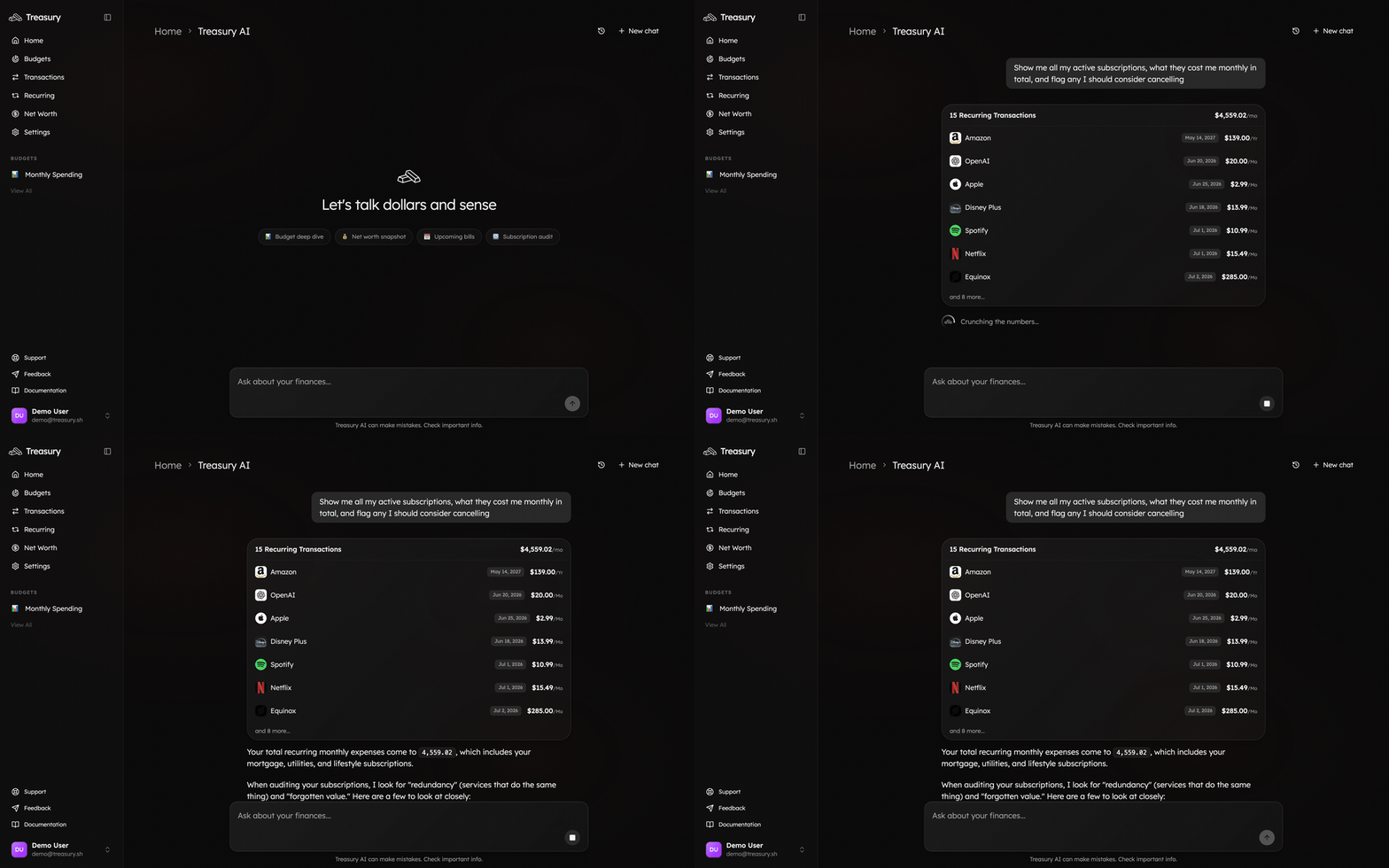 Follow up in plain English to go deeper: *"Which of these have I not had a transaction from in 3 months?"* or *"What's the cheapest two I could cut to save \$30/month?"* The conversation keeps its context, so you can drill down without starting over.
## 3. Decide what to cut
Go through the shortlist and ask yourself, for each one:
* **Do I actually use it?** If you can't remember the last time, that's your answer.
* **Is it a duplicate?** Two music or streaming services, overlapping cloud storage.
* **Did a trial convert?** Something that jumped from free to paid.
* **Could a cheaper tier do?** Downgrade instead of cancelling.
## 4. Cancel, then keep Treasury honest
Cancel the ones you've decided on with the provider (Treasury never moves money or cancels on your behalf — you stay in control). Then tidy up how they're tracked:
* **Pausing for a while?** (e.g. a gym membership over winter.) [Block or pause](/core/recurring-transactions) the recurring item so it stays on your radar without skewing your forecast.
* **A one-off mistaken for a subscription?** [Block it](/core/recurring-transactions) so Treasury stops predicting it.
* **Want it out of your budgets entirely?** [Exclude the transaction](/core/transactions).
Once the charge stops appearing, Treasury drops it from your recurring forecast automatically.
## What good looks like
A recurring list you recognize end to end, a **Monthly Out** that's lower than when you started, and no surprise charges. Check back here every month or two — subscriptions creep back, and a two-minute audit keeps them in check.
## Take it further
Use the recurring calendar to stay ahead of what's due.
Set a cap for subscriptions so they can't creep again.
Your money questions, answered from your real data.
Manage, pause, and block recurring charges.
Follow up in plain English to go deeper: *"Which of these have I not had a transaction from in 3 months?"* or *"What's the cheapest two I could cut to save \$30/month?"* The conversation keeps its context, so you can drill down without starting over.
## 3. Decide what to cut
Go through the shortlist and ask yourself, for each one:
* **Do I actually use it?** If you can't remember the last time, that's your answer.
* **Is it a duplicate?** Two music or streaming services, overlapping cloud storage.
* **Did a trial convert?** Something that jumped from free to paid.
* **Could a cheaper tier do?** Downgrade instead of cancelling.
## 4. Cancel, then keep Treasury honest
Cancel the ones you've decided on with the provider (Treasury never moves money or cancels on your behalf — you stay in control). Then tidy up how they're tracked:
* **Pausing for a while?** (e.g. a gym membership over winter.) [Block or pause](/core/recurring-transactions) the recurring item so it stays on your radar without skewing your forecast.
* **A one-off mistaken for a subscription?** [Block it](/core/recurring-transactions) so Treasury stops predicting it.
* **Want it out of your budgets entirely?** [Exclude the transaction](/core/transactions).
Once the charge stops appearing, Treasury drops it from your recurring forecast automatically.
## What good looks like
A recurring list you recognize end to end, a **Monthly Out** that's lower than when you started, and no surprise charges. Check back here every month or two — subscriptions creep back, and a two-minute audit keeps them in check.
## Take it further
Use the recurring calendar to stay ahead of what's due.
Set a cap for subscriptions so they can't creep again.
Your money questions, answered from your real data.
Manage, pause, and block recurring charges.