> ## Documentation Index
> Fetch the complete documentation index at: https://docs.treasury.sh/llms.txt
> Use this file to discover all available pages before exploring further.
# AI Advisor
> Ask Treasury AI about your money in plain English and get answers grounded in your real financial data.
## Overview
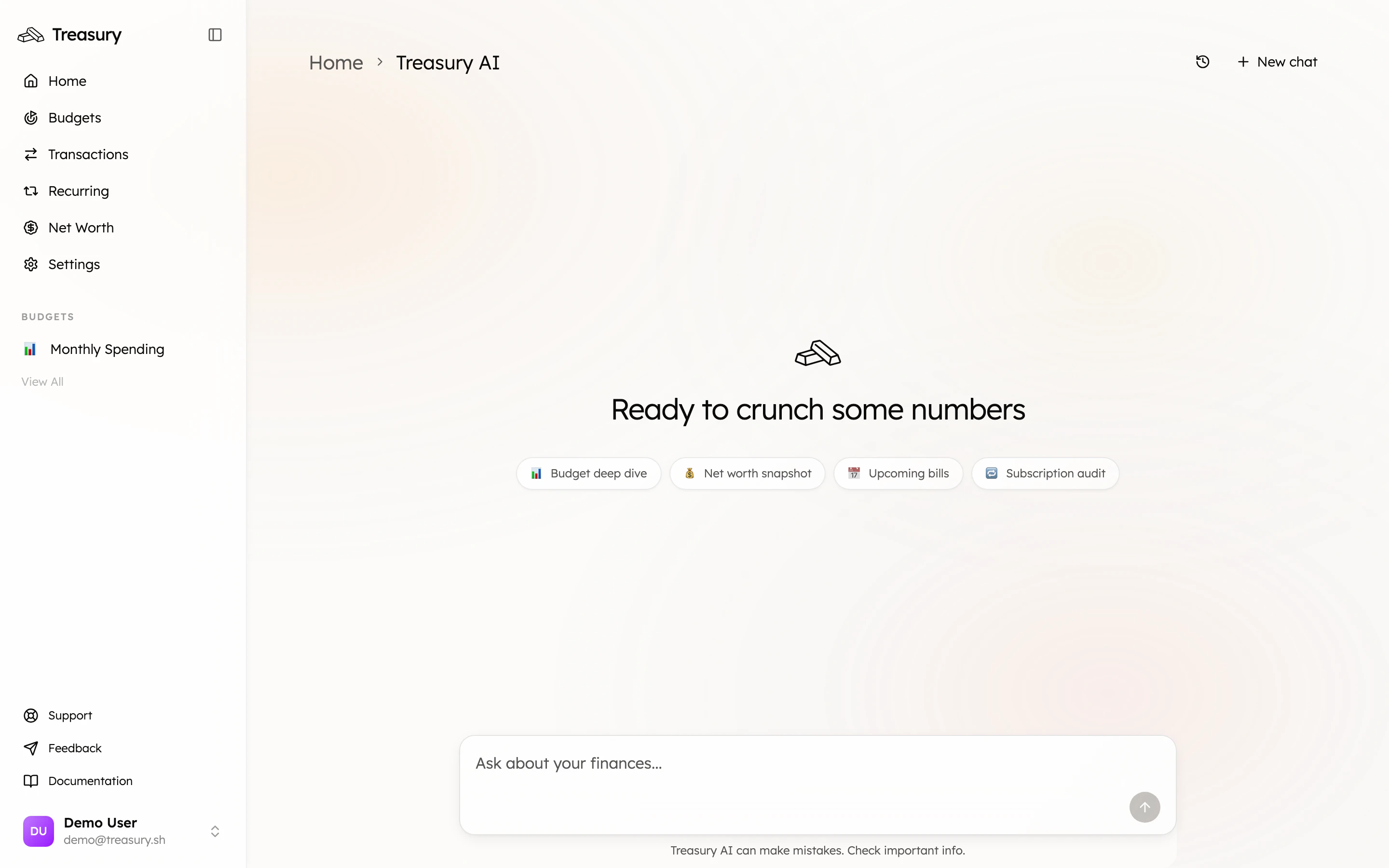
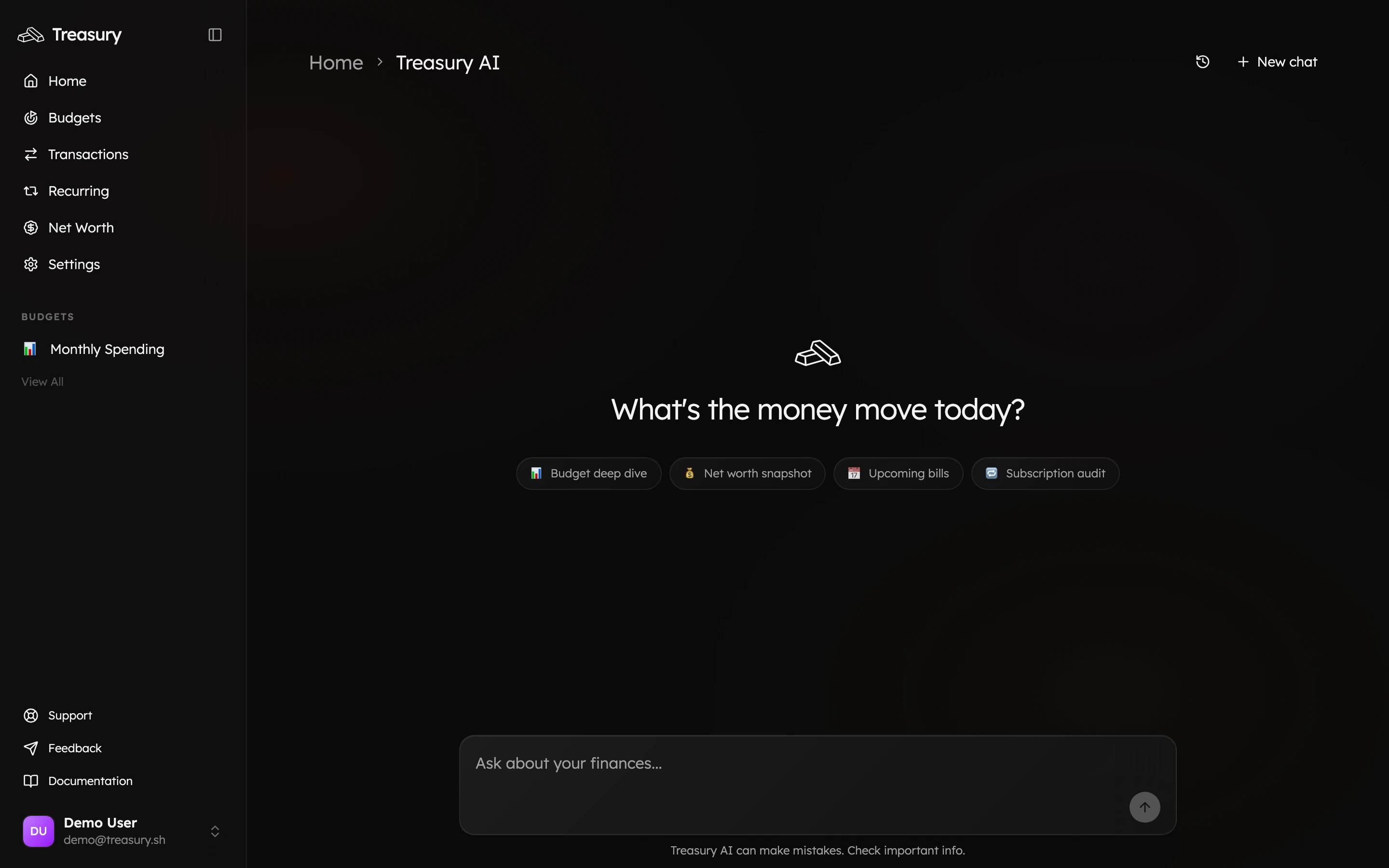
**Treasury AI** is your built-in money coach. Open it from the navigation bar (or the **Ask about your finances…** box on your home dashboard) to ask questions about your spending, budgets, accounts, and net worth — in plain English — and get answers grounded in *your* actual data.
 ## What can it do?
Treasury AI understands your finances and can answer questions, surface insights, and pull up the exact numbers behind them. Ask things like:
* “How much did I spend on food last month?”
* “Show me all my active subscriptions and flag any worth cancelling.”
* “What’s my net worth and how has it changed this year?”
* “Which bills are coming up in the next week?”
To get started fast, tap one of the suggested prompts — **Budget deep dive**, **Net worth snapshot**, **Upcoming bills**, or **Subscription audit** — or just type your own question.
## Answers you can act on
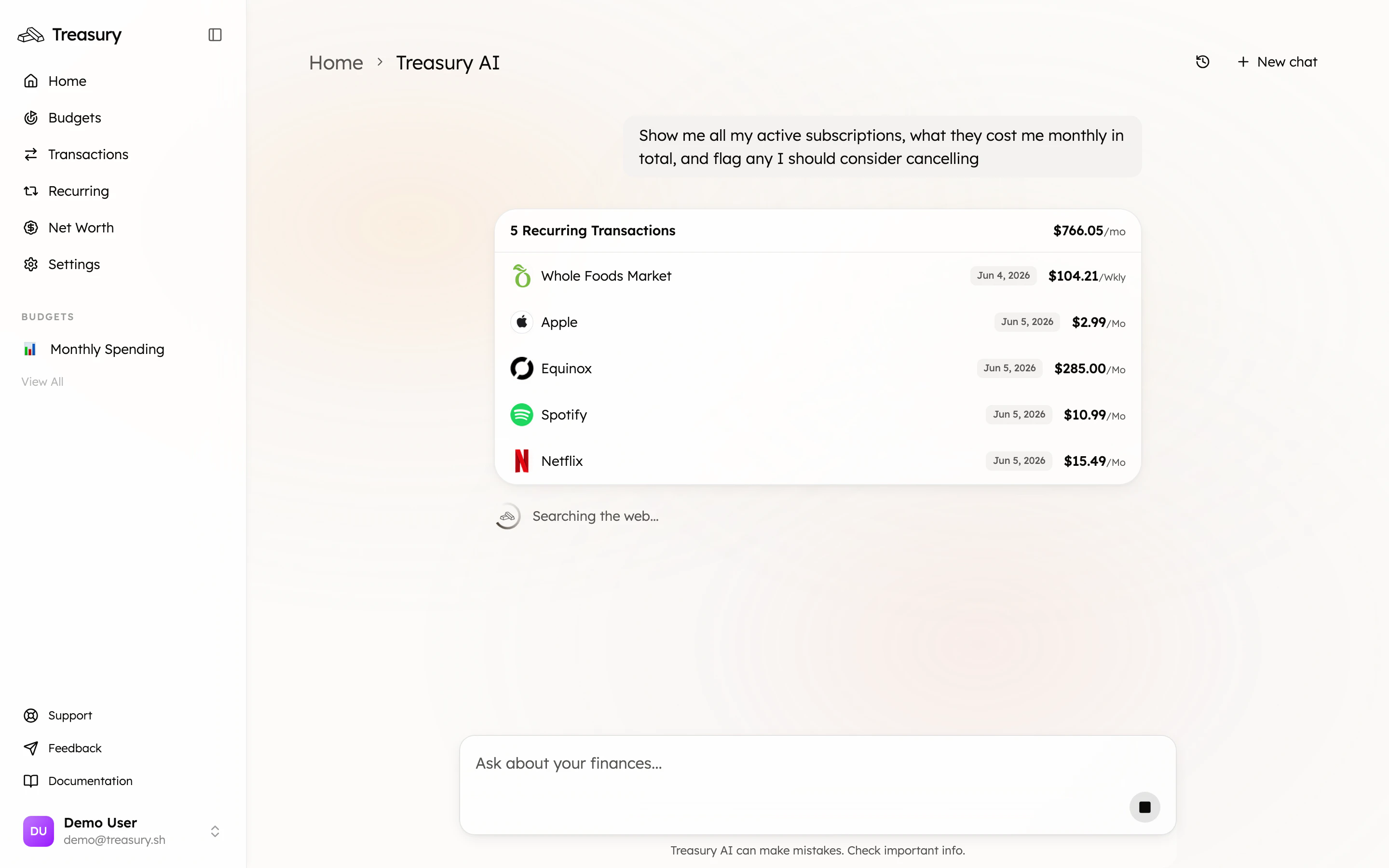
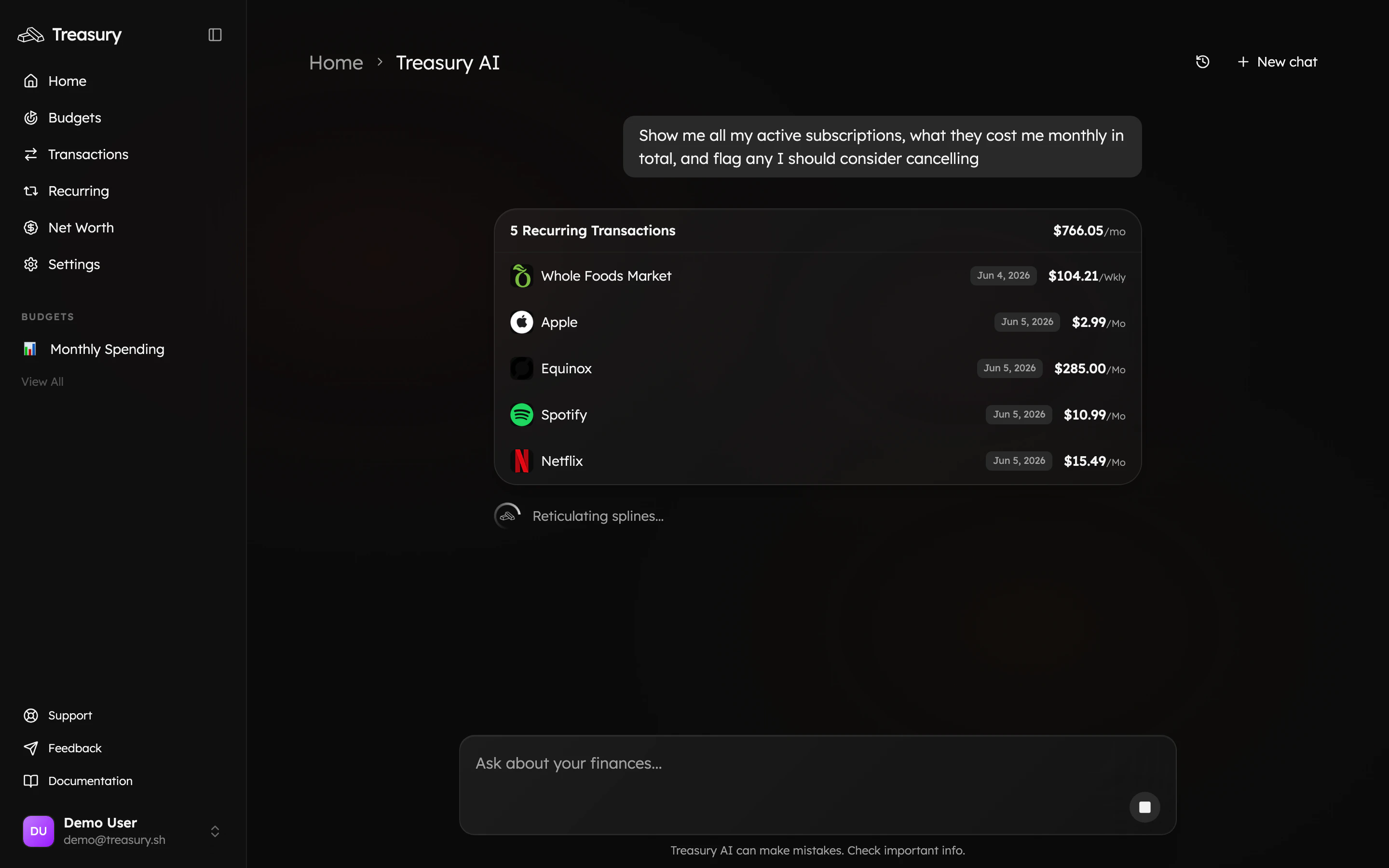
Treasury AI doesn’t only reply in text — it pulls relevant data into rich, interactive **cards** right inside the conversation. Ask about your subscriptions, for example, and it returns a card listing each one with its amount and a running monthly total, so you can act on the answer without leaving the chat.
## What can it do?
Treasury AI understands your finances and can answer questions, surface insights, and pull up the exact numbers behind them. Ask things like:
* “How much did I spend on food last month?”
* “Show me all my active subscriptions and flag any worth cancelling.”
* “What’s my net worth and how has it changed this year?”
* “Which bills are coming up in the next week?”
To get started fast, tap one of the suggested prompts — **Budget deep dive**, **Net worth snapshot**, **Upcoming bills**, or **Subscription audit** — or just type your own question.
## Answers you can act on
Treasury AI doesn’t only reply in text — it pulls relevant data into rich, interactive **cards** right inside the conversation. Ask about your subscriptions, for example, and it returns a card listing each one with its amount and a running monthly total, so you can act on the answer without leaving the chat.
 Be specific. “How much did I spend on dining out in May, and is that more than April?” gets a sharper, more useful answer than “How’s my spending?” You can always follow up — the conversation keeps its context.
## Conversations & history
Each chat is saved. Start a fresh thread with **New chat** (top right), and revisit earlier conversations from the **history** icon next to it. This makes it easy to pick up a previous line of questioning or keep separate threads for different topics.
## Memory
Treasury AI can remember context about you and your finances across conversations — your goals, preferences, and the things you tell it to keep in mind — so its advice gets more tailored over time. You can review and manage what it remembers in **Settings → Memory**.
Treasury AI can make mistakes — it even says so under the chat box. Treat its answers as a fast, well-informed starting point and double-check anything important before acting on it.
## FAQ
Anything about your money — spending, budgets, accounts, bills, net worth, subscriptions. Be specific for the best answers, and follow up in plain English to go deeper.
Yes. It keeps context within a conversation, and **Memory** lets it remember details about you and your goals across conversations. Manage what it remembers in **Settings → Memory**.
No. Treasury AI reads your data to answer questions and surface insights — it never moves money, pays bills, or makes changes on your behalf. You stay in control.
It can be — it even says so under the chat box. Treat its answers as a fast, well-informed starting point and double-check anything important before acting on it.
## Related
The activity Treasury AI reasons over.
Ask the advisor how your budgets are tracking.
Get a plain-English snapshot of your whole picture.
Run a subscription audit in one question.
Be specific. “How much did I spend on dining out in May, and is that more than April?” gets a sharper, more useful answer than “How’s my spending?” You can always follow up — the conversation keeps its context.
## Conversations & history
Each chat is saved. Start a fresh thread with **New chat** (top right), and revisit earlier conversations from the **history** icon next to it. This makes it easy to pick up a previous line of questioning or keep separate threads for different topics.
## Memory
Treasury AI can remember context about you and your finances across conversations — your goals, preferences, and the things you tell it to keep in mind — so its advice gets more tailored over time. You can review and manage what it remembers in **Settings → Memory**.
Treasury AI can make mistakes — it even says so under the chat box. Treat its answers as a fast, well-informed starting point and double-check anything important before acting on it.
## FAQ
Anything about your money — spending, budgets, accounts, bills, net worth, subscriptions. Be specific for the best answers, and follow up in plain English to go deeper.
Yes. It keeps context within a conversation, and **Memory** lets it remember details about you and your goals across conversations. Manage what it remembers in **Settings → Memory**.
No. Treasury AI reads your data to answer questions and surface insights — it never moves money, pays bills, or makes changes on your behalf. You stay in control.
It can be — it even says so under the chat box. Treat its answers as a fast, well-informed starting point and double-check anything important before acting on it.
## Related
The activity Treasury AI reasons over.
Ask the advisor how your budgets are tracking.
Get a plain-English snapshot of your whole picture.
Run a subscription audit in one question.