> ## Documentation Index
> Fetch the complete documentation index at: https://docs.treasury.sh/llms.txt
> Use this file to discover all available pages before exploring further.
# Connected Accounts
> Use Google or Apple to sign in to Treasury, and manage which providers are connected.
## What are connected accounts?
Connected accounts let you sign in to Treasury using an account you already have — **Google** or **Apple** — instead of (or alongside) a passkey. It’s fast, secure, and means one less thing to manage.
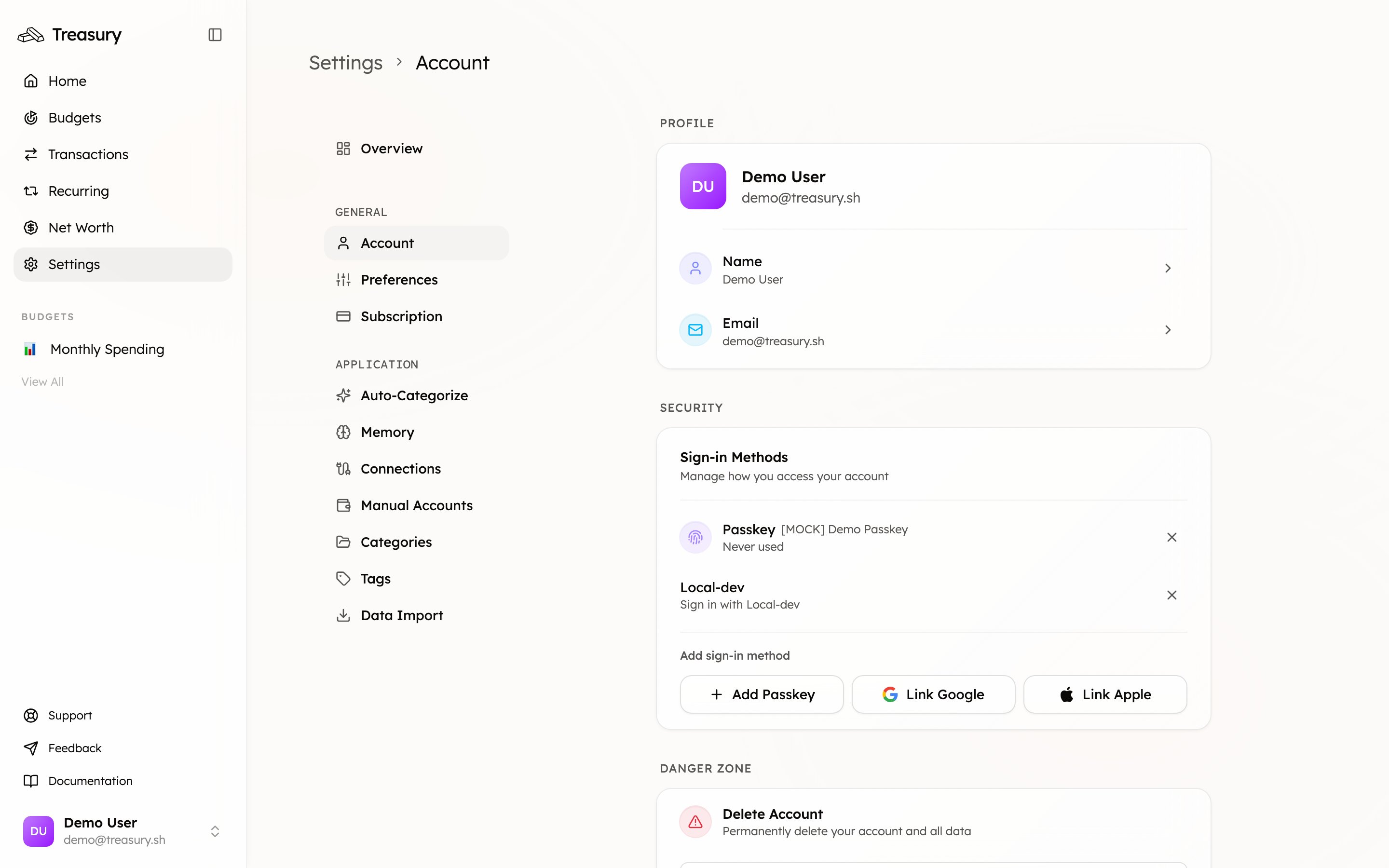
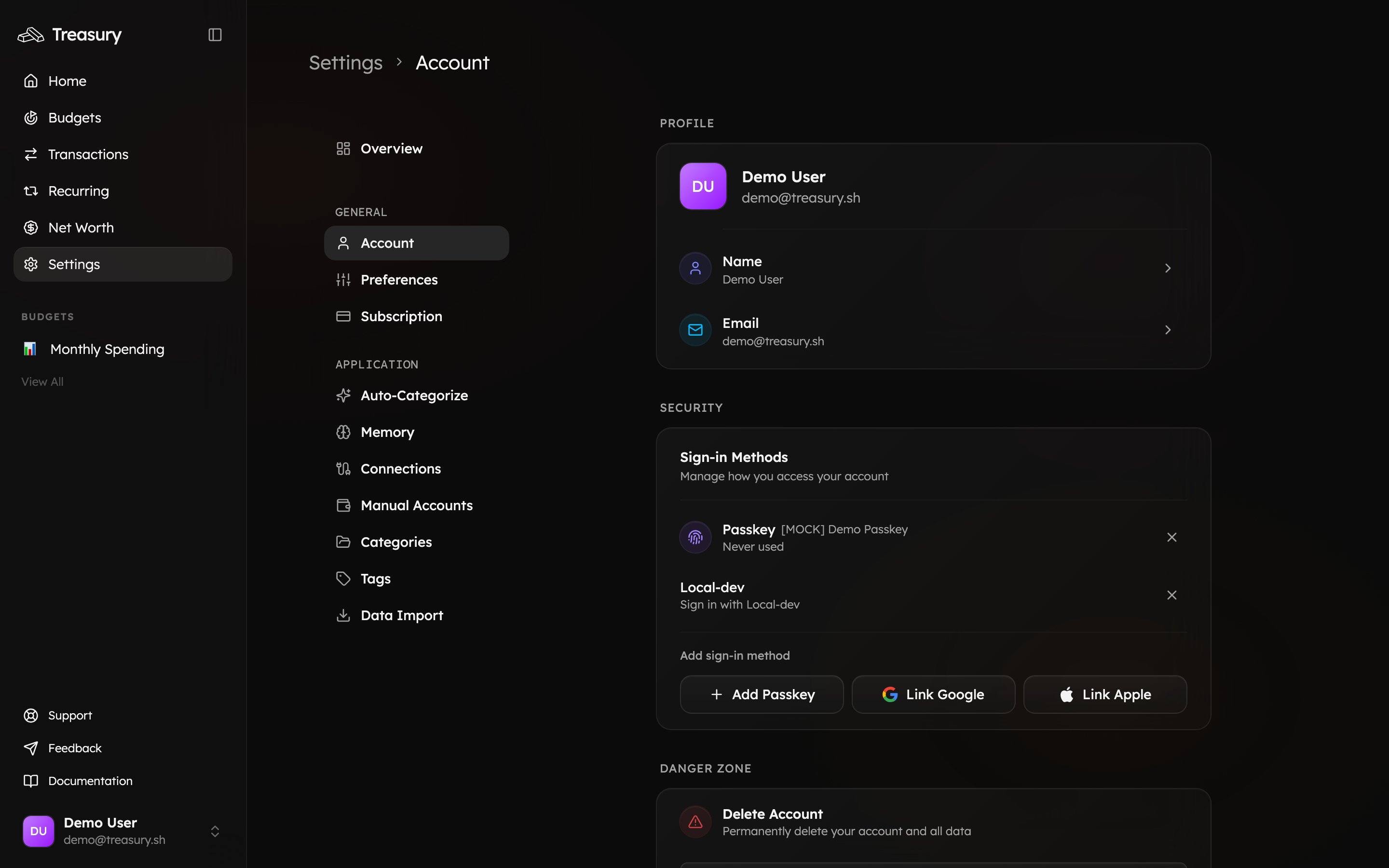
You’ll find them under [**Settings → Account → Sign-in Methods**](https://app.treasury.sh/settings/account), listed next to any passkeys you’ve added.
 ## Connect a provider
1. Go to [**Settings → Account**](https://app.treasury.sh/settings/account) and find **Sign-in Methods**.
2. Click **Link Google** or **Link Apple**.
3. Follow the provider’s prompts to authorize the connection.
Once connected, the provider appears in your sign-in methods and can be used to log in.
## Remove a provider
Click the **×** next to a connected account to disconnect it. You’ll no longer be able to sign in with that provider.
Don’t remove your only sign-in method. Keep at least one other way in — a passkey or another provider — before disconnecting, so you’re never locked out.
Connecting Google or Apple here is only used to **sign in** to Treasury. It’s separate from [Connections](/core/connections), which link your **bank and card accounts** for transaction syncing.
## Related
The full picture of how you sign in.
Why keeping multiple methods matters.
## Connect a provider
1. Go to [**Settings → Account**](https://app.treasury.sh/settings/account) and find **Sign-in Methods**.
2. Click **Link Google** or **Link Apple**.
3. Follow the provider’s prompts to authorize the connection.
Once connected, the provider appears in your sign-in methods and can be used to log in.
## Remove a provider
Click the **×** next to a connected account to disconnect it. You’ll no longer be able to sign in with that provider.
Don’t remove your only sign-in method. Keep at least one other way in — a passkey or another provider — before disconnecting, so you’re never locked out.
Connecting Google or Apple here is only used to **sign in** to Treasury. It’s separate from [Connections](/core/connections), which link your **bank and card accounts** for transaction syncing.
## Related
The full picture of how you sign in.
Why keeping multiple methods matters.